
Ark Ascended Arcane
ark survival ascended
Instant Delivery
Undetected
$5.99
Product Images
Requirements
- Supported CPU: Intel & AMD
- Support Windows Versions: 10 - 11 x64
- Supported Game Version: Steam, Epic Games, Microsoft Store
- Supported Game Mode: Windowed / Borderless
- Stream Proof: Yes
Aimbot
- Enable – Activate the aimbot.
- Target – Choose targeting for Players or Dinosaurs.
- Keybind – Set activation key.
- Prediction – Compensates for target movement.
- Humanize – Adds a swaying factor to movements for a more natural look.
- Priority – Choose priority by Screen Center or Distance.
- Draw FOV Border – Displays the aimbot's radius circle.
- Draw FOV Background – Fills the FOV circle with a background color.
- FOV Size – Adjust the size of the aim area.
- Smoothness – Adjust the speed and smoothness of aim transitions.
- Max Distance – Sets the maximum range for aimbot activation.
Player ESP
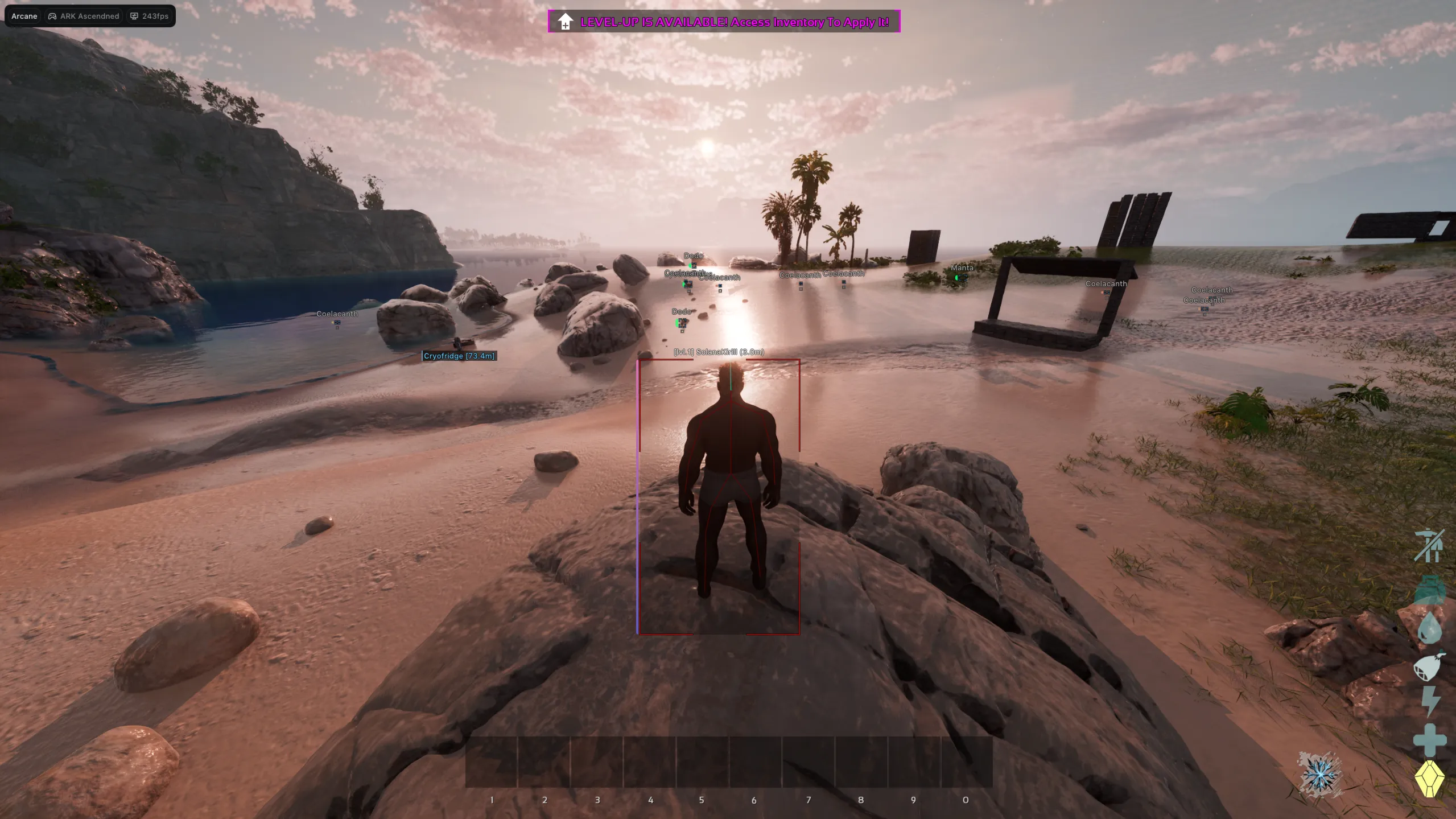
- Bounding Box – 2D boxes around players (Full or Corners).
- Fill Box – Background fill for boxes (Static or Gradient).
- Health Bar – Visual health status (Static, Dynamic, or Gradient).
- Skeleton – Draws player bone structure with adjustable thickness.
- Health Text – Displays numerical health values.
- Item in Hand – Shows what the player is currently holding.
- Name, Distance & Level – Essential player data overlays.
- Show Dead/Sleeping – Toggles visibility for inactive or deceased players.
- View Line – Displays where the player is looking with custom colors.
- Line to Enemy – Snaplines with adjustable positioning (Top, Bottom, Center).
- Max Distance – Limits the distance for player visuals.
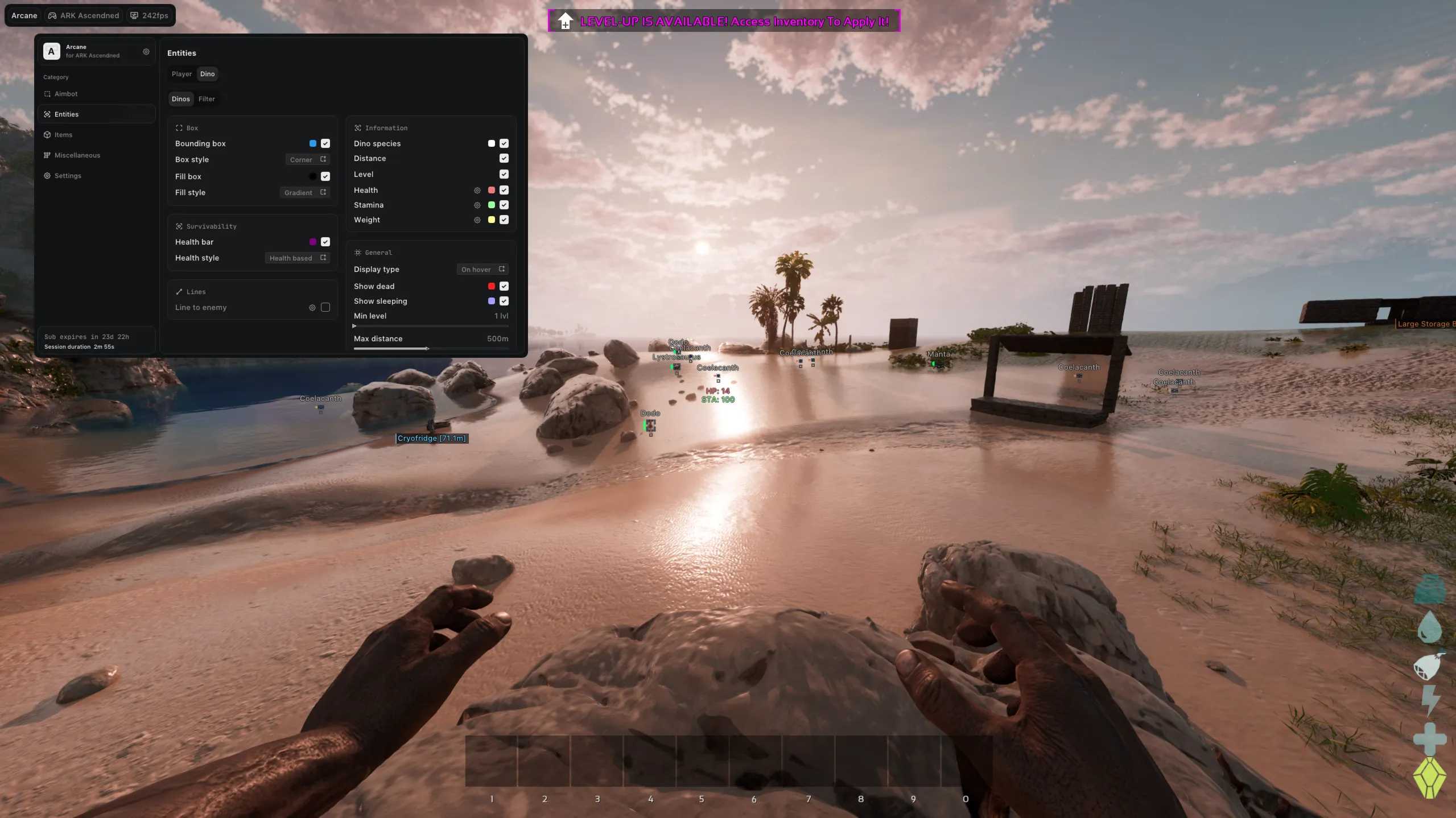
Dino ESP
- Bounding Box – 2D boxes for dinosaurs.
- Fill Box – Background fill for boxes.
- Health Bar – Visual health status.
- Dino Species – Displays the type of dinosaur.
- Distance, Level, Health, Stamina & Weight – Comprehensive dinosaur statistics.
- Show Dead/Sleeping – See unconscious or dead creatures.
- Display Type – Set info visibility to Always or On Hover only.
- Line to Enemy – Snaplines to dinosaurs.
- Min Level – Filters out dinosaurs below a specific level.
- Max Distance – Limits the distance for dinosaur visuals.
Filter
- Filter Mode – Choose between Matching All or Matching Any selected filters.
- Carnivore/Herbivore – Filter by diet type.
- Tamable/Flying/Water Ridable – Filter by dinosaur capabilities.
- Agro – Highlight aggressive creatures.
Items & Objects ESP
- Categories – Filters for Clothes, Resources, Weapons, Structures, Consumables, Ammo, Artifacts, and Skins.
- World Objects – Tracks Supply Crates, Beds, Storage Containers, Generators, Cryo Fridges, and Turrets.
- Distance – Show distance to items/objects.
- Max Distance – Adjustable range for all items and objects.
Misc & Exploits
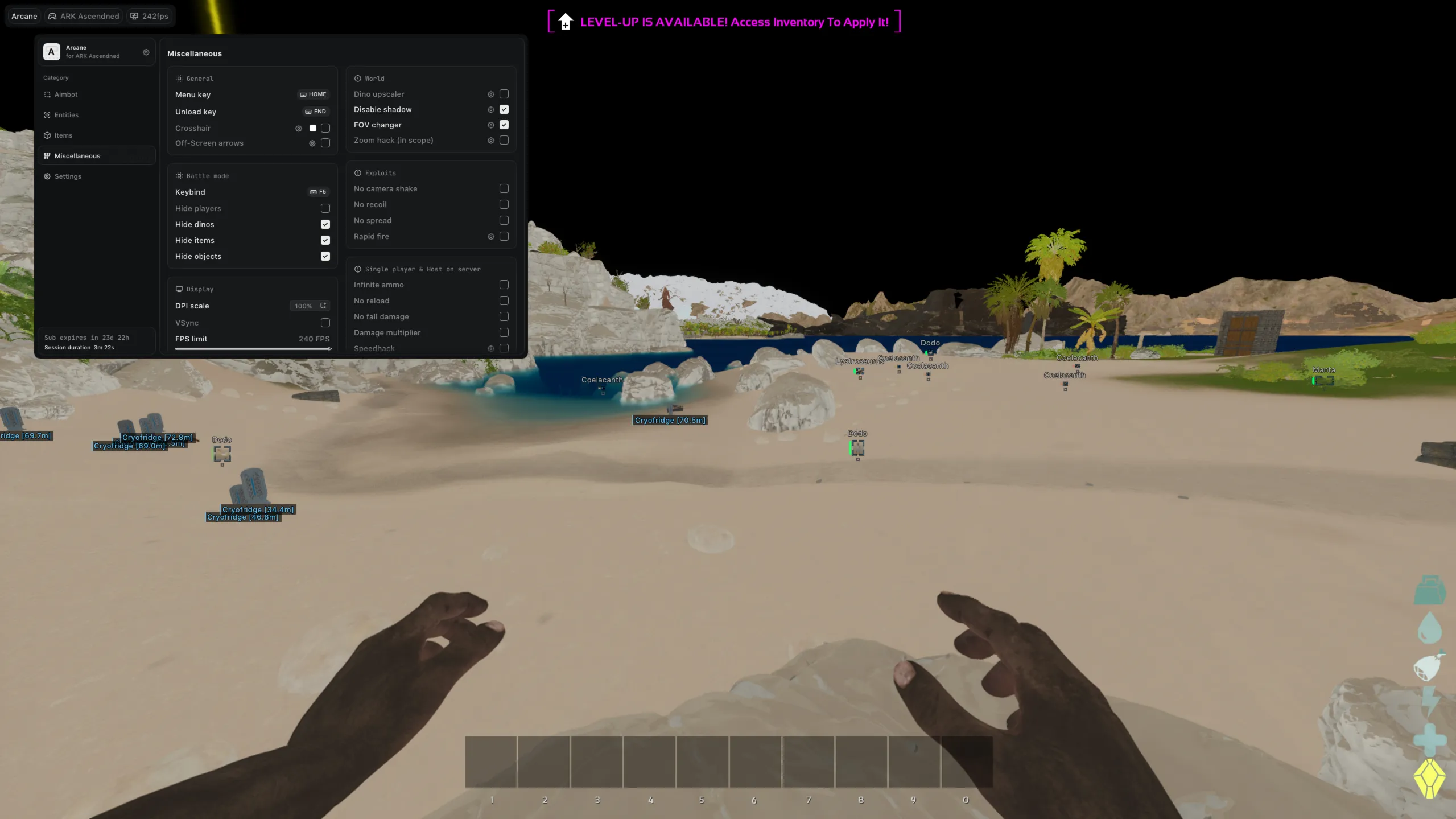
- Crosshair – Custom cursor with style, size, and thickness settings.
- Off-Screen Arrows – Directional indicators for off-screen targets.
- Battle Mode – Customizable keybind to hide players, dinos, items, or objects.
- World Mods – Dino Size Changer, Disable Shadows, FOV Changer, and Zoom Hack.
- Weapon Mods – No Camera Shake, No Recoil, No Spread, and Rapid Fire.
- Host/Single-Player Only – Infinite Ammo, No Reload, No Fall Damage, Damage Multiplier, and Speedhack.
![R6 Caruso 30 Days [DMA]](https://ducks-services.com/uploads/monthly_2026_01/R6S-Caruso-DMA.webp.5df9e541b4e58bf9995c5f07c28ce679.webp)
![Battlefield 6 Direct 7 Days [DMA]](https://ducks-services.com/uploads/monthly_2026_01/BF6-Direct.webp.fd1c643ddd82a29057ca94c55b57eec3.webp)
![SOT Duck's 1 Day [DMA]](https://ducks-services.com/uploads/monthly_2026_01/SOT-DUck-DMA.webp.6893050636513ba3e927df13b16c6f37.webp)