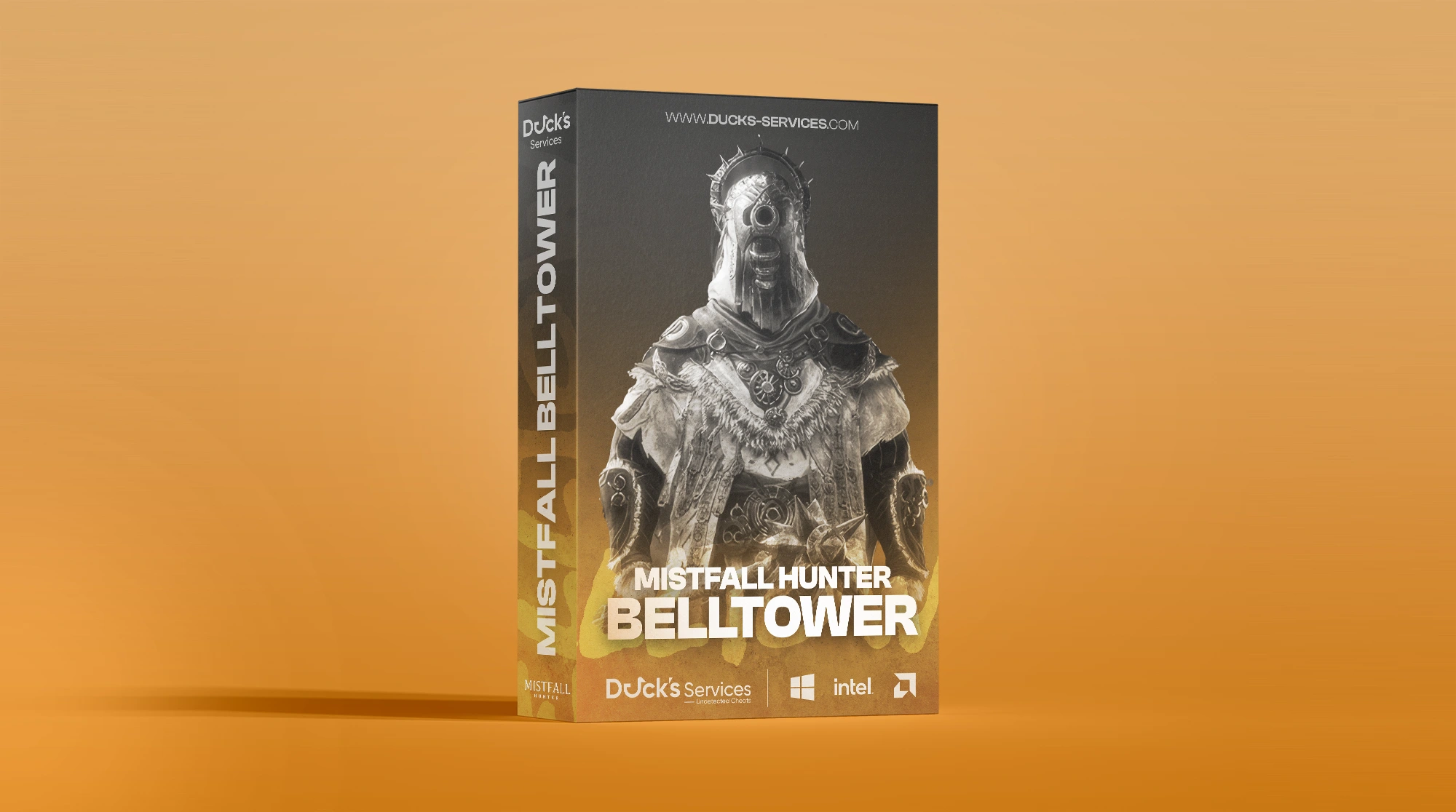
Mistfall Hunter BellTower
-
UndetectedWindows 10 & 11 Instant Delivery
$3.99
Requirements
- Supported CPU: Intel + AMD
- Supported Windows Version: 10 - 11
Player & NPC ESP
- Player & NPC ESP — Display player and NPC entities
- Box ESP — Corner / Full box styles
- Snap Lines — Draw lines to tracked entities
- Off-Screen Indicator — Directional indicators for entities outside your view
- Player Name — Display player names
- Distance Indicator — Show distance to tracked entities
- Health Bar — Display current health
- Health Bar Position — Adjustable positioning
- Stamina Bar — Display current stamina
- Stamina Bar Position — Adjustable positioning
- Skeleton ESP — Display character bone structure
- Direction Indicator — Show facing or movement direction
- Head Dot — Display a marker over the head
- Head Dot Size — Adjustable marker size
- Visibility Colors — Dynamic colors based on visibility
- Visible Only — Option to display only visible targets
- Maximum Distance — Adjustable ESP render distance
- Hide Bars Beyond Distance — Automatically hide health and stamina bars beyond a configurable range
Player Information
- Information Position — Configurable information placement
- Level & Class — Display player progression and class
- Team — Display team information
- Ping — Display current connection latency
- Player State — Display current player status
- PvP Status — Display current PvP state
- Resources — Display relevant player resources
- Toughness — Display toughness information
- Combat Statistics — Display relevant combat data
- Equipped Weapon & Armor — Display currently equipped gear
- Ability Cooldowns — Display active ability cooldowns
- Active Buffs — Display currently active buffs
NPC Information
- NPC Name — Display detected NPC name
- NPC Category — Display NPC classification
- Aggro Target — Display the NPC's current target
Aimbot
- Enable Aimbot — Master toggle for aim assistance
- Target Bone — Head / Neck / Chest
- Target Priority — FOV / Health / Distance
- Smooth Aim — Smoothed aiming movement
- FOV Circle — Display the active aiming field of view
- FOV Radius — Adjustable targeting radius
- Recoil Compensation — Compensate for weapon recoil
- Prediction — Lead moving targets
- Lock Indicator — On-screen target lock indicator
- Visible Check — Restrict targeting to visible entities
- Target Filters — Enemy / Friendly / NPC
- Maximum Distance — Adjustable maximum targeting distance
Item ESP
- Ground Loot — Display loot found in the world
- Unknown Config IDs — Display unidentified item configuration IDs
- Item Count — Display item quantity
- Durability — Display item durability
- Bind State — Display item binding status
- Item Owner — Display associated owner information
- Source / Pack — Display item source information
- Hide Bound Items — Filter out bound items
- Distance Indicator — Display distance to items
- Snap Lines — Draw lines to tracked items
- Maximum Distance — Adjustable item ESP range
Object ESP
- Loot Objects — Display interactable loot objects
- Treasure Chests — Display treasure chest locations
- Dead Boxes — Display lootable death containers
- Hide Opened / Empty Containers — Filter containers that no longer contain loot
- Escape Portals — Display available extraction portals
- Teleport Doors — Display teleportation doors
- Soul Altars — Display soul altar locations
- Doors — Display tracked doors
- Ladders — Display ladder locations
- Event Interactables — Display event-related world objects
- Elevators — Display elevator locations
- Fog Doors — Display fog door locations
- Boss Rooms — Display boss encounter areas
- Monster Regions — Display monster activity regions
- Current State — Display object state information
- Contents & Rarity — Display container contents and rarity information
- Distance Indicator — Display distance to objects
- Maximum Distance — Adjustable object ESP range
World Intelligence
- Dungeon & Match Information — Display current dungeon and session information
- Playzone Status — Display active playzone information
- Mission Status — Track current mission progression
- Warning Notifications — Receive relevant world and combat alerts
- Safe Zones — Display safe-zone locations
- Damage Zones — Display hazardous areas
- Escape Portals — Display extraction locations
- Dungeon Shops — Display shop locations
- Boss Rooms — Display boss encounter locations
- Air Drop Trees — Display air drop tree locations
- Monster Battle Regions — Display monster encounter areas
- Soul Hunting Altars — Display relevant altar locations
- Team Markers — Display teammate world markers
- Radar Scan — Display scan-related world information
- Distance Indicators — Show distance to tracked world markers
- Marker Distance — Adjustable maximum world marker distance
Radar
- Radar — Fully customizable radar overlay
- Radar Size — Adjustable radar dimensions
- Detection Range — Adjustable radar tracking range
- Radar Header — Optional header display
- Radar Border — Optional border display
- Radar Background — Optional background display
- Cardinal Lines — Display directional reference lines
- Line Opacity — Adjustable cardinal line transparency
- Tracked Entities — Players / NPCs / Corpses / Items / Objects
- Visibility Colors — Dynamic colors based on entity visibility
- Entity & Item Marker Size — Adjustable radar marker sizes
- Player Marker Size — Adjustable player indicator size
- Smooth Rotation — Smooth radar movement and rotation
Miscellaneous
- Crosshair — Multiple crosshair styles
- FPS Counter — Real-time FPS display
- Resolution Display — Display current screen resolution
- Current Time — Display system time
- Coordinates — Display current world coordinates
- Movement Speed — Display current movement speed
- Heading — Display current directional heading
- Camera Information — Display relevant camera data
- Local Combat HUD — Additional local combat information
- Local Resources — Display local resource information
- Combat Statistics — Display local combat statistics
- Ability Information — Display local ability information
Color Customization
- RGBA / HEX Colors — Complete interface color customization
- Individual Element Colors — Configure colors independently for visual elements
Profiles & Settings
- Configuration Management — Save, load, and reset configurations
- Multiple Profiles — Create and manage separate configuration profiles
- Create Profiles — Create new profiles for different setups
- Menu Hotkey — Configurable menu keybind
- Aimbot Hotkey — Configurable player aimbot keybind
- NPC Aimbot Hotkey — Separate configurable NPC targeting keybind
- Panic Key — Quickly disable active functionality
Note: This product is currently available as an Early Access release. Features, functionality, and performance may be expanded, refined, or adjusted throughout development as regular updates are released.
There are no reviews to display.
![R6 Caruso 30 Days [DMA]](https://ducks-services.com/uploads/monthly_2026_01/R6S-Caruso-DMA.webp.5df9e541b4e58bf9995c5f07c28ce679.webp)
![EFT + Arena Synthetic Skill 30 Days [DMA]](https://ducks-services.com/uploads/monthly_2026_07/EFT-Synthetic.webp.325ab981e524682fe87f0c16aff4a4af.webp)