ROB RUN Arcane
-
Updating
$3.99
Product Images
Aimbot
- Weapon Categories – Separate settings for General, Pistols, Rifles, and Other weapons.
- Enable – Toggle the aimbot on or off.
- Keybind – Set the aimbot activation key.
- Force Aim Key – Assign a key to force aiming.
- In Scope – Activate only while aiming down sights.
- Lock Target – Keep aim locked onto a target.
- Shift to Head – Aim at the head while holding Shift.
- Max Distance – Set the maximum targeting distance.
- Target Switch Delay – Adjust the delay before switching targets.
- Humanization System – Adjust the strength of human-like aiming movement.
- Ignore Dead – Exclude dead targets.
- Ignore in Vehicle – Exclude targets inside vehicles.
- Ignore Knocked – Exclude knocked targets.
- Target – Choose target categories, including Police, Robbers, Civilians, and NPCs.
- Bone Selection Method – Choose between selected bones and the nearest bone.
- Target Bones – Select target points such as Head, Neck, Torso, and Pelvis.
- Activation – Choose between Hold and Always active modes.
- Prediction – Predict target movement with adjustable prediction strength.
- Prediction Cross – Display a prediction crosshair with adjustable size.
- Adaptive FOV – Enable an adaptive targeting area.
- Draw FOV Border – Display the targeting area border with adjustable thickness.
- Draw FOV Background – Add a background to the targeting area.
- Draw Locked Target – Highlight the currently locked target.
- FOV Size – Adjust the size of the targeting area.
- Smoothness – Adjust how smoothly aim moves toward the target.
Player ESP
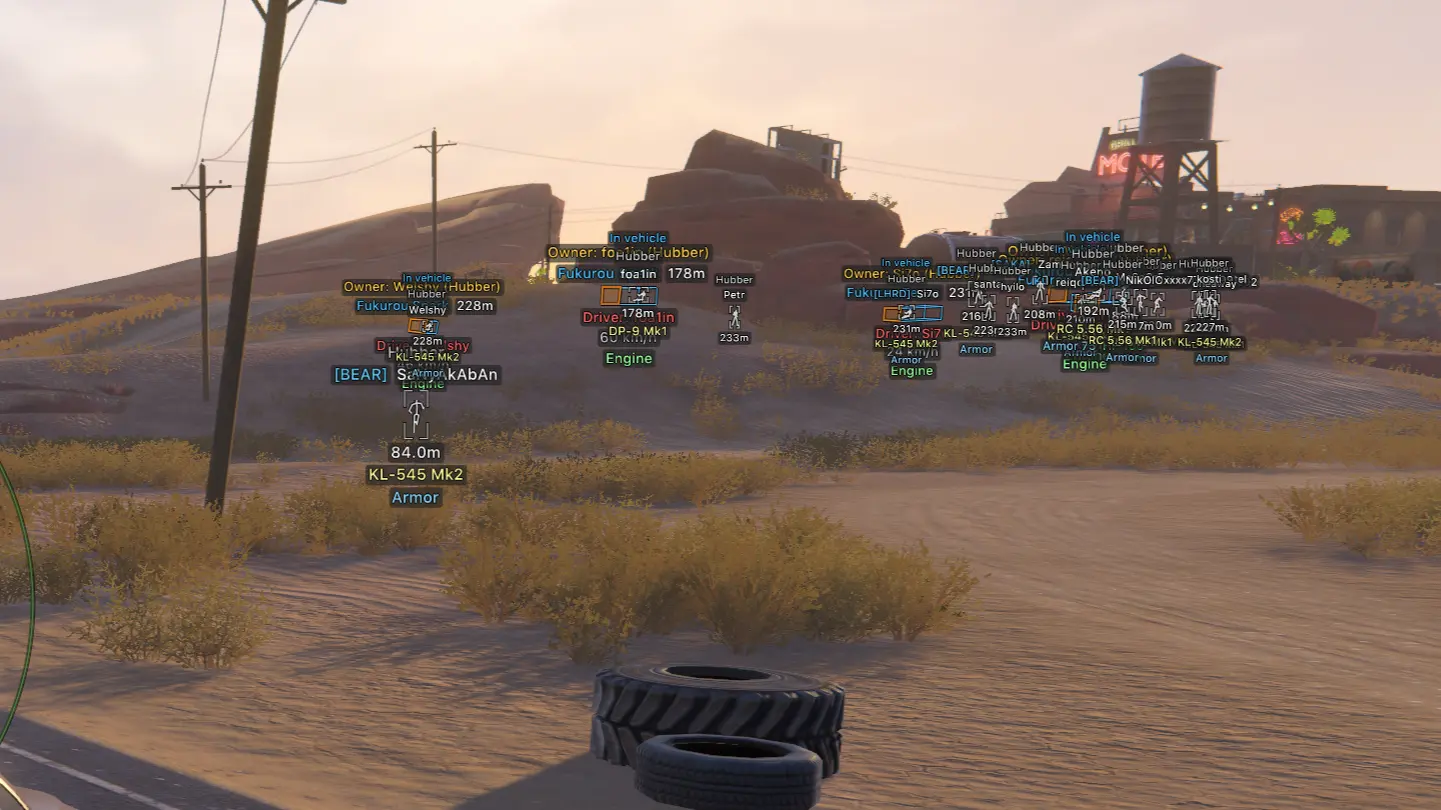
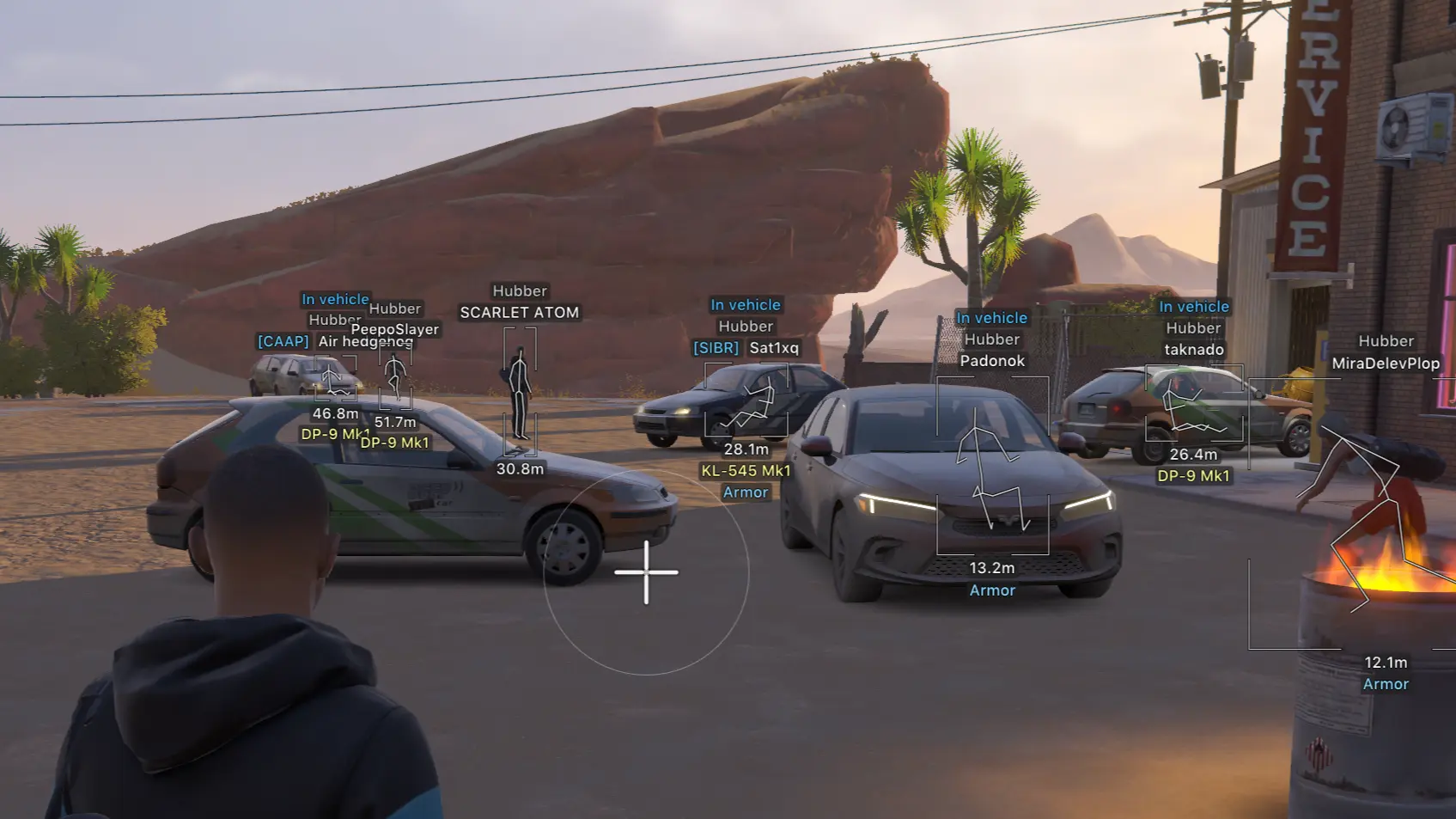
- Categories – Configure ESP for Police, Robbers, and Civilians.
- Enable – Toggle player ESP on or off.
- ESP Preview – Preview your ESP settings.
- ESP Style – Choose a display style with or without a background.
- Max Distance – Set the maximum player ESP distance.
- Bounding Box – Display 2D or 3D boxes with full or corner styles.
- Box Height – Adjust bounding box height.
- Box Width – Adjust bounding box width.
- Fill Box – Fill boxes with a solid color or gradient.
- Skeleton – Display skeletons with adjustable thickness, a head circle, and distance fading.
- Line to Enemy – Draw snaplines with customizable color and position.
- Hide Dead – Hide dead players.
- Hide Team – Hide teammates.
- Team Colors – Customize teammate box and skeleton colors.
- Hide Knocked – Hide knocked players.
- Knocked Colors – Customize box and skeleton colors for knocked players.
- Name – Display player names.
- Clan Tag – Display clan tags.
- Role – Display player roles.
- Held Item – Display the item a player is holding.
- Armor – Display player armor.
- State – Display player state.
- Health – Display player health.
- In Vehicle – Indicate when a player is inside a vehicle.
- Colors in Vehicle – Customize box and skeleton colors for players inside vehicles.
- Distance – Display player distance.
- ID – Display player IDs.
NPC ESP
- Enable – Toggle NPC ESP on or off.
- ESP Preview – Preview your NPC ESP settings.
- ESP Style – Choose a display style with or without a background.
- Max Distance – Set the maximum NPC ESP distance.
- Hide Dead – Hide dead NPCs.
- Bounding Box – Display 2D or 3D boxes with full or corner styles.
- Name – Display NPC names.
- State – Display NPC state.
- Distance – Display NPC distance.
Vehicle ESP
- Enable – Toggle vehicle ESP on or off.
- ESP Style – Choose a display style with or without a background.
- Max Distance – Set the maximum vehicle ESP distance.
- Only Occupied – Display only occupied vehicles.
- Hide Own Vehicle – Hide your owned vehicle.
- Hide Vehicle I Am In – Hide the vehicle you currently occupy.
- Bounding Box – Display 2D or 3D boxes with full or corner styles.
- Front Face – Highlight the front face of the vehicle box with optional fill.
- Fill Box – Fill vehicle boxes with a solid color or gradient.
- Line to Vehicle – Draw snaplines with customizable color and position.
- Vehicle Name – Display vehicle names.
- Distance – Display vehicle distance.
- Owner – Display the vehicle owner.
- Driver – Display the vehicle driver.
- Speed – Display vehicle speed.
- Status – Display vehicle status.
Camera ESP
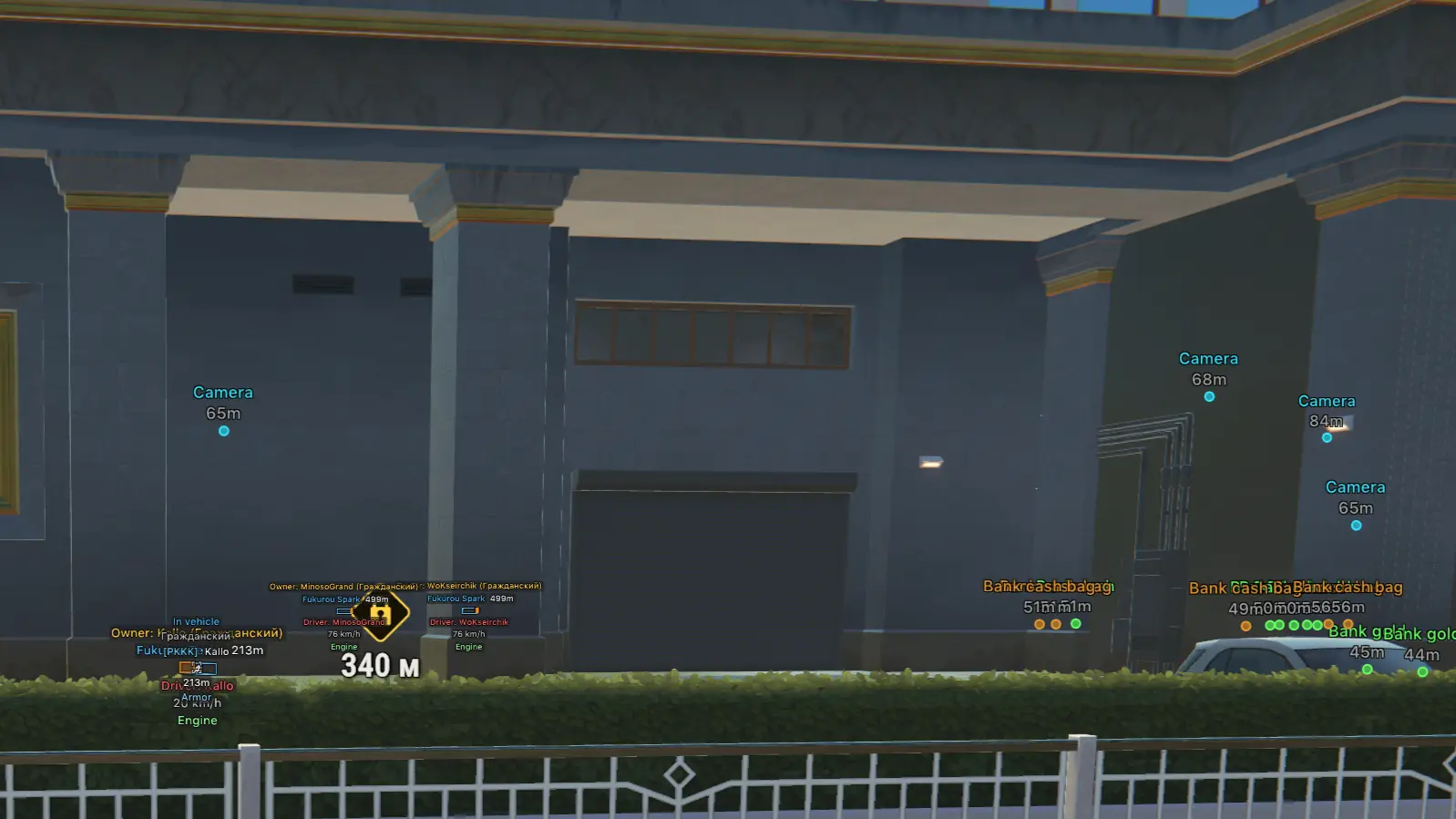
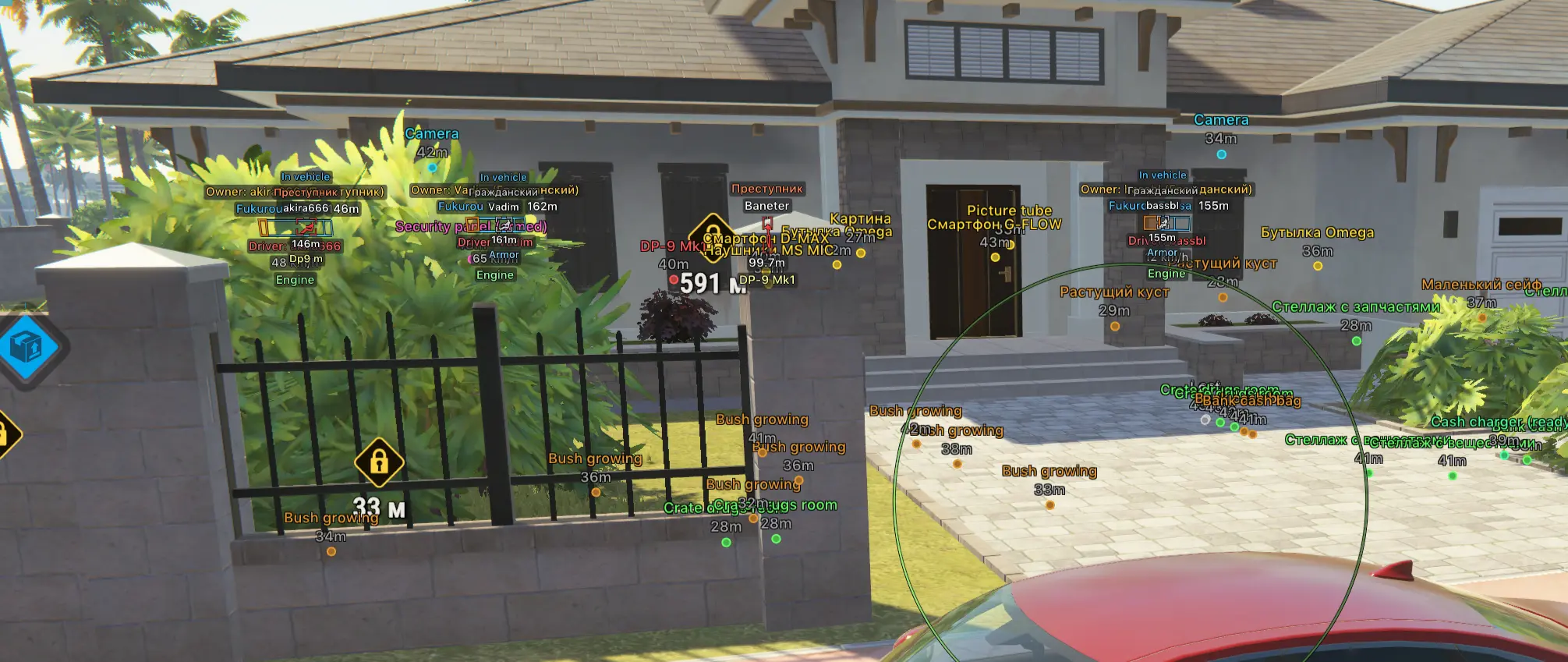
- Enable – Toggle camera ESP on or off.
- Max Distance – Set the maximum camera ESP distance.
- Distance – Display camera distance.
- Hide Broken – Hide broken cameras.
- Colors – Customize colors for normal cameras, broken cameras, and alarm states.
- View Zone – Display camera viewing zones with optional fill.
Item ESP
- Enable – Toggle item ESP on or off.
- Max Distance – Set the maximum item ESP distance.
- Distance – Display item distance.
- Hide Empty – Hide empty objects.
- Objects – Filter objects such as Loot, Loot Points, Cargo, and Cash Loaders.
- Loot Categories – Filter loot by Weapons, Ammo, Armor, Equipment, and more.
Radar
- Enable – Toggle the radar on or off.
- Distance Rings – Display distance rings on the radar.
- FOV Cone – Display your field of view on the radar.
- Scale by Distance – Scale markers based on distance.
- Zoom – Adjust radar zoom.
- Size – Adjust radar size.
- Transparency – Adjust radar transparency.
- Entities – Choose which entities appear, including Police, Robbers, Civilians, and NPCs.
- Max Distance – Set the maximum radar distance.
- Show on Rim – Display markers at the edge of the radar.
Off-Screen Arrows
- Enable – Toggle off-screen indicators.
- Range – Adjust the radius of the indicators.
- Size – Adjust indicator size.
- Max Distance – Set the maximum distance for off-screen indicators.
Miscellaneous
- No Recoil – Remove weapon recoil.
- No Sway – Remove weapon sway.
- No Spread – Remove weapon spread.
Combat Mode
- Keybind – Assign a key to activate combat mode.
- Show Indicator – Display a combat mode indicator.
- Compact Info – Use a compact information display.
- Hide Dead – Hide dead entities.
- Hide Radar – Hide the radar during combat mode.
- Hide Off-Screen – Hide off-screen indicators.
- Hide – Select categories to hide, including Police, Robbers, Others, and Vehicles.
Settings
- Menu Key – Set the key used to open the menu.
- Unload Key – Set the key used to unload the software.
- DPI Scale – Choose interface scaling at 100%, 125%, or 150%.
- VSync – Toggle vertical synchronization.
- FPS Limit – Set the frame rate limit.
- Theme – Choose between Dark and Light themes.
- Watermark – Toggle the on-screen watermark.
- Layout – Choose a single-column or two-column menu layout.
- Language – Select the menu language.
Configurations
- Create New – Create a new configuration.
- Load – Load a saved configuration.
- Save – Save your current settings.
- Edit Name – Rename a configuration.
- Remove – Delete a configuration.
There are no reviews to display.